
In the hyper-competitive world of modern esports, the difference between a victory royale and a crushing defeat often comes down to a few milliseconds. As we navigate through 2026, the demand for precision has never been higher. Whether you are a professional player or a casual gamer looking to climb the ranked ladders in Valorant, Counter-Strike 2, or Call of Duty, mechanical skill is your greatest asset.
The most efficient way to sharpen your mechanical prowess without spending hours in lobby queues is by utilizing an aim training simulator browser. These web-based tools have evolved significantly, offering professional-grade analytics and customizable scenarios directly in your Chrome or Edge window. By integrating these sessions into your daily routine, you can build the muscle memory necessary to dominate your opponents.
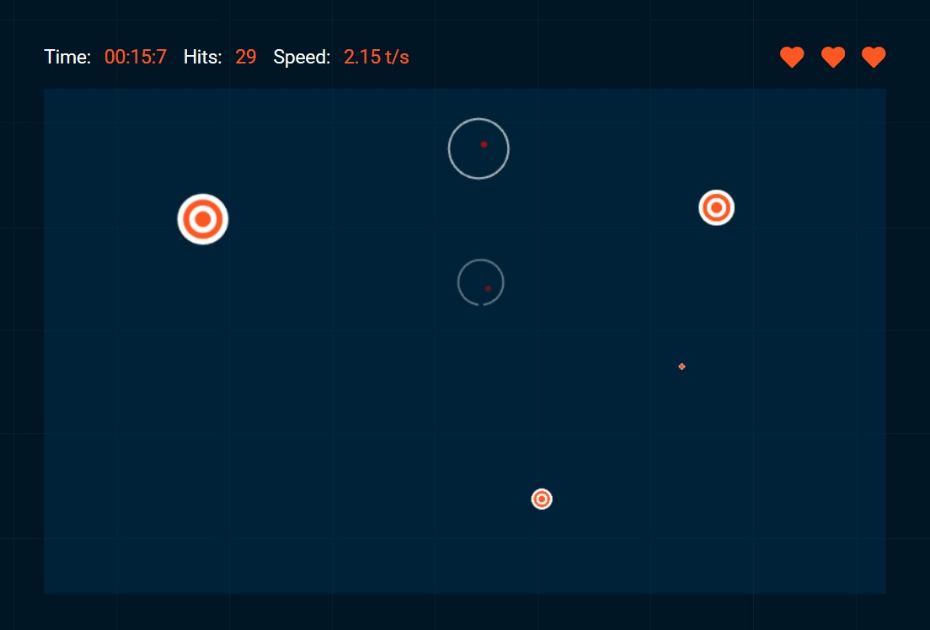
Why Browser-Based Aim Trainers Are Essential in 2026
Gone are the days when you had to download heavy software to get a quality practice session. Modern browser-based trainers are lightweight, accessible, and optimized for low-latency performance. They allow you to jump into a flick shot or tracking drill in seconds, making them the perfect “warm-up” tool before you dive into your favorite FPS title.
1. Zero Barrier to Entry
You don’t need a high-end rig to start practicing. Because these simulators run on web engines, they are incredibly efficient. You can practice at work, at school, or on a laptop while traveling, ensuring your consistency remains high regardless of your setup.
2. Targeted Skill Development
Unlike playing a standard deathmatch where you spend half your time respawning or running across the map, an aim training simulator browser provides non-stop engagement. You are constantly clicking, tracking, and adjusting, which maximizes your “effective practice time.”

Core Training Modes You Must Master
To see real improvement in your gameplay, you need to understand the different types of aim. Most top-tier browser trainers in 2026 focus on three fundamental pillars of shooting mechanics.
- Flick Shots: This measures your ability to snap your crosshair from one point to another instantly. It is essential for sniper players and those who rely on high-damage, single-shot weapons.
Tracking: This involves keeping your crosshair locked onto a moving target. If you play games with long “time-to-kill” (TTK) mechanics like Apex Legends or Overwatch 2*, this is your most important metric.
- Grid Shot/Target Switching: These modes improve your spatial awareness and your ability to transition between multiple enemies rapidly. It helps in cleaning up squads after a successful engagement.
How to Optimize Your Training Routine
Consistency is the secret sauce to becoming an elite aimer. Even 15 minutes of structured practice per day is better than a three-hour marathon once a week. Here is how you can structure your 2026 training regimen:
- Warm-up (5 minutes): Start with low-intensity tracking exercises to get your hand-eye coordination synced.
- Drill Focus (10 minutes): Pick one specific area you struggle with—such as flicking—and spam those specific scenarios.
- Data Analysis: Use the built-in tracking tools provided by your browser trainer. Look for accuracy percentage and reaction time trends over the week. If your accuracy is stagnating, it’s time to slow down your movements and focus on precision before speed.
The Future of Aim Training: AI and Analytics
As we look further into 2026, the integration of AI-driven feedback is changing the landscape. High-end browser trainers are now beginning to offer “smart suggestions.” If the system detects you are consistently over-flicking (moving past the target), it will suggest lowering your sensitivity or adjusting your mouse DPI. This level of personalized coaching was previously only available through expensive private lessons, but it is now being democratized through browser technology.
Choosing the Right Tool
When searching for the best aim training simulator browser, look for platforms that offer:
Custom Sensitivity Settings: Ensure you can match the sensitivity settings to your main game (e.g., matching your Valorant* sensitivity).
- Crosshair Customization: Practice with the same crosshair you use in-game to maintain visual continuity.
- Offline Mode Capabilities: Some modern browsers now cache assets, allowing you to train even if your internet connection is unstable.
Conclusion
Improving your aim is a marathon, not a sprint. By leveraging a high-quality aim training simulator browser, you are investing in the mechanical foundation that will support your gaming career for years to come. Whether you are aiming to reach the top ranks or simply want to improve your K/D ratio, the tools available in 2026 make it easier than ever to reach your peak performance. Start your training today, stay consistent, and watch as your precision transforms your gameplay.